TrackingSwimmingLessonProgressMobileandOffline

Summary
- Digital tracking prevents data loss and makes swimming lesson overview clearer.
- Regular updates and fixed routines improve accuracy and efficiency.
- Mobile apps with offline function ensure reliable and flexible progress.
Tracking swimming lesson progress requires a reliable and accessible method. Especially for swim schools and instructors, it is important to record data easily and up-to-date. Mobile and offline options offer practical solutions for this.
In this article, we discuss how to effectively register swimming lesson progress, even without an internet connection. We cover the advantages of mobile devices, the use of apps with offline functionality, and which data is essential to record.
Additionally, we provide practical tips for instructors and discuss common challenges in digitally tracking swimming lesson progress.
1. Advantages of Mobile Tracking
Tracking swimming lesson progress via mobile devices offers several benefits.
In this chapter, we discuss flexibility and accessibility, direct data entry during lessons, and the overview this provides.
These aspects make it easier to accurately and currently monitor swimmers' development.
Flexibility and Accessibility
Mobile tracking of swimming lesson progress provides flexibility in time and place.
Instructors and parents can enter or view data anytime and anywhere, without being tied to a fixed computer.
This is especially useful with changing lesson locations or when information needs to be shared quickly.
Moreover, mobile use makes it possible to register progress immediately after the lesson, which increases accuracy.
Direct Entry During Lessons
Direct entry during the swimming lesson prevents important details from being lost.
Instructors can immediately make notes about performance or points of attention.
This helps keep progress up-to-date and prevents administrative backlog.
Parents can also be informed more quickly about their child's progress.
Better Overview and Organization
Mobile tracking contributes to better overview and organization of swimming lessons.
All data is centrally and digitally available, simplifying information retrieval.
This makes it possible to detect trends in progress and better tailor lessons to individual needs.
A clear administration also supports communication between instructors and parents.
What is Zwemlesmaatje?
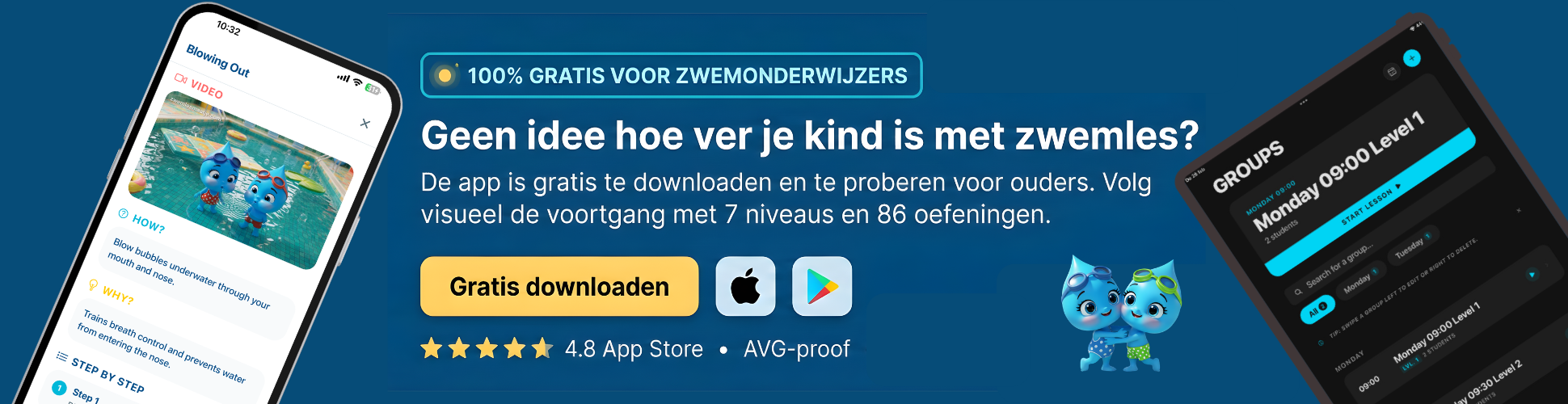
Zwemlesmaatje is an independent app that allows you to track, assess, and celebrate swimming progress — whether you are a parent, adult swimmer, or instructor. You are not dependent on the swim school but keep control yourself.
For parents, the app offers a clear learning path of 7 levels (from Red to Gold) with 86 exercises. You assess each exercise with a simple scoring system (0 to 6) and receive a personal swimming certificate for each achieved level. This way, you can see at a glance where your child stands and what still needs work.
Adults who want to learn (better) swimming use Zwemlesmaatje discreetly and without group pressure. The app provides structure, divides the learning process into manageable steps, and helps overcome insecurity. You train at your own pace, whenever it suits you.
Swim schools and instructors use Zwemlesmaatje completely free as a digital system for student administration, schedules, and progress. Parents see their child's development in real-time — without you having to do any extra work. A handy Marketing Toolbox also helps you create professional flyers, social media posts, and certificates.
Discover now how Zwemlesmaatje supports your swimming journey.
2. Offline Tracking of Progress
In this chapter, we discuss how to track swimming lesson progress without internet. We look at apps with offline functionality, synchronizing data once connection is restored, and how to work effectively without internet. This way, you stay up-to-date even at locations with limited connectivity.
Apps with Offline Functionality
There are various apps specifically designed to register swimming lesson progress offline. These apps store data locally, so you can enter information directly during the lesson without an internet connection. This is useful at pools where Wi-Fi is not always available. This prevents data loss or having to update later.
An example is an app that saves lesson results and comments on your phone. Once you are online again, this data is automatically uploaded to the central system. This ensures reliable and continuous progress registration.
Synchronization Upon Connection
Synchronization is the process where offline-entered data is linked to the online database once internet is available. This often happens automatically without you needing to do anything. This ensures all parties, such as parents and instructors, always have the most current information.
It is important that the app performs this process safely and reliably. Some systems notify you when synchronization is complete, so you know nothing is lost. This prevents duplicate entries and errors in administration.
Working Without Internet
Working without internet requires good preparation and the use of suitable tools. Ensure your app or system can function offline and that you synchronize regularly once you have connection again. This prevents falling behind in tracking progress.
Additionally, it is helpful to have a fixed routine for entering data, for example immediately after each lesson. This helps avoid forgetting anything and keeps administration clear. Offline work is therefore very feasible with the right approach and tools.
3. Important Data to Register
In this chapter, we discuss which data is essential to properly track swimming lesson progress. We cover registering lesson attendance and performance, recording goals and milestones, and the importance of notes from parents and children. This creates a complete picture of the swimmer’s development.
Lesson Attendance and Performance
Tracking lesson attendance is the basis for a good overview of progress. This way, you know exactly which lessons were attended and if any were missed. Additionally, it is important to register performance, such as which swimming skills the student masters or where extra attention is needed.
This data helps instructors adjust the lesson program to the swimmer’s level. For example, if a child struggles with breathing technique, this can be specifically noted. This keeps progress clear and organized.
Goals and Achieved Milestones
Recording goals and achieved milestones motivates both children and parents. Short-term goals, such as learning a new stroke, make the learning process manageable. Long-term goals, such as obtaining a diploma, give direction to the swimming lessons.
By digitally registering these goals, parents and instructors can jointly monitor progress. For example, noting the moment a child can swim 10 meters independently provides a concrete success point. This makes the learning process transparent and encourages perseverance.
Parent and Child Notes
Notes from parents and children are valuable to personalize the swimming process. Parents can indicate how their child feels before or after the lesson. Children themselves can share small successes or challenges.
This information helps instructors better align with the swimmer’s needs. For example, if a child indicates fear of deep water, the instructor can pay extra attention to this. This creates open communication and better guidance.
4. Practical Tips for Lesson Instructors
In this chapter, we discuss practical advice for lesson instructors to track swimming lesson progress mobile and offline.
We cover the importance of fixed routines, choosing suitable tools, and improving communication with parents.
These tips help make the registration process smooth and effective.
Fixed Routines and Registration Moments
Maintaining fixed routines and clear registration moments provides structure during swimming lessons.
For example, plan a short moment after each lesson to update the progress of each student.
This prevents data from being left behind and keeps information current.
A fixed order in registration helps avoid overlooking anything and gives peace of mind to the instructor.
Choosing User-Friendly Tools
Choose tools that are simple and intuitive to use, so tracking progress takes little time.
Pay attention to features such as offline availability and automatic synchronization when connected to the internet.
An app with clear input fields and organized reports supports the instructor’s work.
Test different options and choose a system that fits daily practice and the lesson offering.
Improving Communication with Parents
Good communication with parents strengthens trust and involvement in swimming lesson progress.
Use digital reports or short updates to regularly inform parents about achieved goals and points of attention.
Be clear and concrete in feedback so parents know what their child is working on.
This encourages positive collaboration between instructor and family.
5. Common Challenges and Solutions
In this chapter, we discuss three common challenges in tracking swimming lesson progress. We cover how to prevent data loss, how to maintain children’s motivation, and how to properly align progress with group lessons.
These topics help instructors and parents keep the learning process smooth and enjoyable.
Preventing Problems with Data Loss
Data loss can be frustrating and disrupt the overview. It is important to regularly back up progress data, for example by setting automatic synchronization as soon as internet is available.
Additionally, it helps to first store data locally before uploading. This keeps data safe even if the connection drops during entry.
Use apps or systems that explicitly support offline work and automatically synchronize when connected. This prevents information loss and ensures a reliable overview.
Maintaining Motivation in Children
Children sometimes lose motivation due to fatigue or feeling they are not progressing fast enough. A fixed routine around swimming lessons gives them stability and reduces resistance.
Playful elements and small rewards make lessons more fun and encourage perseverance. Involving friends can also increase motivation.
Setting achievable short- and long-term goals helps children see their progress and stay motivated. Also, consider scheduling lessons when the child is fit.
Alignment with Group Lessons
In group lessons, it is important that each child’s progress aligns well with the lesson program. This requires clear communication between instructors and parents.
By tracking progress digitally, instructors can quickly identify which children need extra attention. This enables differentiation within the group.
Additionally, it helps to regularly discuss goals and achieved milestones so everyone has the same expectations. This keeps the lesson content appropriate and effective for each child.

Summary
Summary of Digitally Tracking Swimming Lesson Progress
Tracking swimming lesson progress has challenges such as data loss, motivation, and alignment with group lessons. A digital tracking system helps prevent these problems and makes the learning process clearer.
Regular backups and offline work ensure data remains safe. Automatic synchronization when connected prevents information loss.
Practical Tips for Instructors
Fixed routines and clear registration moments improve progress tracking. Updating data briefly after each lesson prevents backlog and keeps information current.
A fixed registration order provides peace of mind and prevents important data from being missed. This makes the work easier and more efficient for instructors.
Essential Data and Offline Work
Registering lesson attendance, performance, and goals provides a complete picture of swimming development. Notes from parents and children complement this picture.
Apps with offline functionality store data locally and synchronize automatically when connected. This keeps progress reliable and current, even without internet.
Advantages of Mobile Tracking
Mobile use offers flexibility and accessibility for instructors and parents. Data can be entered immediately after the lesson, which increases accuracy.
This makes it possible to follow swimming lesson progress at various locations and times. The overview thus remains always up-to-date.
Dear reader, this blog post was about tracking swimming lesson progress, both mobile and offline.
We would love to hear if you have experience with digitally following swimming lessons. Feel free to leave a comment below this article.
You can try Zwemlesmaatje for free via https://zwemlesmaatje.com. We wish you much success in tracking swimming lesson progress.

Bob van Soest
As an expert in operating sports facilities (such as swimming pools) and developer of, among others, Zwemlesmaatje.com, I am passionately committed to making swimming lessons simpler, more fun and more insightful for parents, swimming instructors and everyone who wants to learn to swim.
Frequently Asked Questions
Related articles

Why Showering Before Swimming Lessons Is So Important
Why shower before swimming lessons? Discover why hygiene and preparation are crucial for the best swimming experience. Read our tips and avoid surprises!
When to Start Swimming Lessons for Optimal Progress

Effectively Registering Swimming Lesson Progress from What Age?
Discover Zwemlesmaatje
The all-in-one app for swimming lesson progress. For parents, swim schools, and adult swimmers.